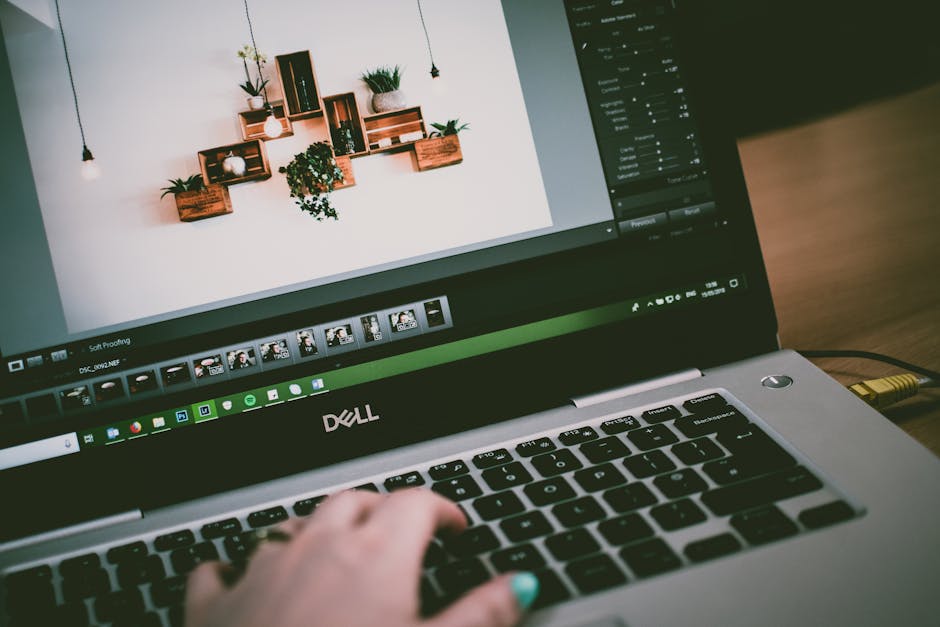
Landscaping design software helps homeowners visualize outdoor projects before installation and purchasing materials. Free options like Canva and SketchUp Free offer basic visualization features, while paid tools like iScape and Realtime Landscaping provide advanced 3D rendering and comprehensive plant databases. Choose based on project complexity, budget, and whether you need professional-quality renderings or simple sketches.
Best Free Landscaping Design Software Options
Free landscape design tools have become surprisingly powerful for homeowners planning smaller projects or exploring ideas before hiring professionals. These options let you experiment without financial commitment.
What is the best free landscaping design software?
SketchUp Free remains one of the most versatile free options available. It offers a web-based interface with a substantial 3D model library, letting you create detailed landscape layouts. The learning curve is moderate, but thousands of online tutorials support new users.
Canva takes a different approach, focusing on 2D landscape design and visualization. It’s excellent for creating mood boards and landscape sketches quickly. Canva’s drag-and-drop interface makes it accessible even for users without design experience.
Google SketchUp’s free version includes essential tools for creating outdoor spaces. While less feature-rich than the paid Pro version, it covers most residential landscaping needs including plant placement, hardscape design, and basic terrain modeling.
Free tools typically include basic shape libraries, limited plant databases (usually under 500 species), and 2D or simple 3D visualization. They work well for conceptual planning but may lack advanced features like realistic lighting or seasonal plant visualization.
Top Paid Landscaping Design Software Tools
Professional-grade landscaping software for homeowners offers capabilities that justify their investment for complex projects. These tools provide extensive plant libraries, photorealistic rendering, and advanced features.
iScape leads the paid market with over 5,000 plant varieties in its database, HD photo-realistic rendering, and intuitive mobile interface. The subscription ranges from $9.99 to $29.99 monthly depending on features. Many homeowners appreciate the ability to test multiple design scenarios quickly.
Realtime Landscaping Plus costs around $99 for a one-time purchase and includes advanced 3D visualization, seasonal plant changes, and detailed hardscape libraries. It excels at creating presentation-quality renderings that help communicate your vision to contractors.
Lands Design (starting at $595) integrates with AutoCAD for more technical users. It’s powerful for complex multi-zone landscapes and includes advanced drainage and irrigation planning tools.
PRO Landscape Home offers professional-grade tools at around $199, with excellent hardscape catalogs and the ability to generate material estimates—critical for budget planning. According to EPA water use data, proper landscape design can reduce outdoor water consumption by 20-50%, making professional planning financially valuable.
| Software | Price | Plant Database | 3D Rendering | Best For |
|---|---|---|---|---|
| SketchUp Free | Free | 500-1,000 | Basic 3D | Concept sketches, homeowner planning |
| Canva | Free/$120/year | Limited | 2D only | Mood boards, quick visualization |
| iScape | $9.99-$29.99/month | 5,000+ | Photorealistic | Mobile users, real-time design |
| Realtime Landscaping Plus | $99 one-time | 3,500+ | Photorealistic | Professional presentations, contractors |
| PRO Landscape Home | $199 | 2,000+ | 3D | Material estimates, budget planning |
| Lands Design | $595 | 4,000+ | Advanced 3D | Complex projects, technical users |
For landscape budget planning beyond design visualization, use our landscaping cost calculator to estimate material expenses and labor costs based on your design dimensions.
Free vs Paid: Feature and Price Comparison
Is paid landscaping software worth the cost? The answer depends on project scope and your comfort level with design tools.
Free landscaping software excels at early-stage planning and helping you explore ideas. You’ll spend more time learning the interface and working around limitations, but there’s zero financial risk. Free options work best for small projects—deck designs, modest garden layouts, or simple hardscape additions.
Paid tools accelerate the design process significantly. A professional-grade solution like PRO Landscape Home or Realtime Landscaping cuts design time by 40-60% compared to free alternatives. More importantly, paid software generates accurate material lists and cost estimates, directly reducing budget overruns. If your project exceeds $5,000 in materials and labor, the ROI from paid software becomes clear.
The best landscaping software for homeowners often depends on workflow preference. Desktop software (Realtime Landscaping, Lands Design) offers more power but less flexibility. Mobile-first apps (iScape) let you design anywhere but sometimes sacrifice advanced features. Hybrid approaches (SketchUp) balance accessibility with capability.
How to Choose the Right Landscaping Software for Your Project
Start by assessing your project’s complexity. Simple projects—adding a small planting bed, designing a basic patio—work fine with free tools. Complex multi-zone landscapes with irrigation, drainage considerations, and advanced hardscaping benefit from paid professional tools.
Consider your technical comfort level. Canva and iScape have minimal learning curves. SketchUp and professional software require moderate to significant learning investment. Many paid tools offer free trials—test before committing.
Evaluate your team. If you’re sharing designs with contractors, professional renderings from Realtime Landscaping or iScape communicate your vision more effectively than sketches from free tools. This clarity often prevents costly miscommunication.
Finally, review each tool’s plant library coverage for your climate zone. A database heavy on tropical plants won’t help if you’re in zone 5. Most reputable software offers regional plant collections.
How to Use Our Landscaping Cost Calculator
Once you’ve designed your landscape using any of these tools, move to cost estimation with our Recommended Resources:
- Landscape Design Software Bundle — Directly matches the post topic; readers actively searching for landscaping design tools are prime candidates for software purchases and related products
- Garden Planning Tablet & Stylus — Essential hardware for using landscaping design software effectively; readers planning outdoor projects often need devices for digital design work
- Landscape Design Course or E-book — Complements software knowledge; readers learning design software benefit from instructional materials to maximize tool effectiveness and design quality